Free Dinosaur Silhouette SVG Downloads
Download a free dinosaur silhouette SVG in three styles for Cricut crafts, vinyl decals, t-shirts, signs, and cutting-machine projects today.
- Free Dinosaur silhouette SVG download
- Transparent background
- 3 variants
- SVG and PNG, no signup
Dinosaur silhouette SVG variants
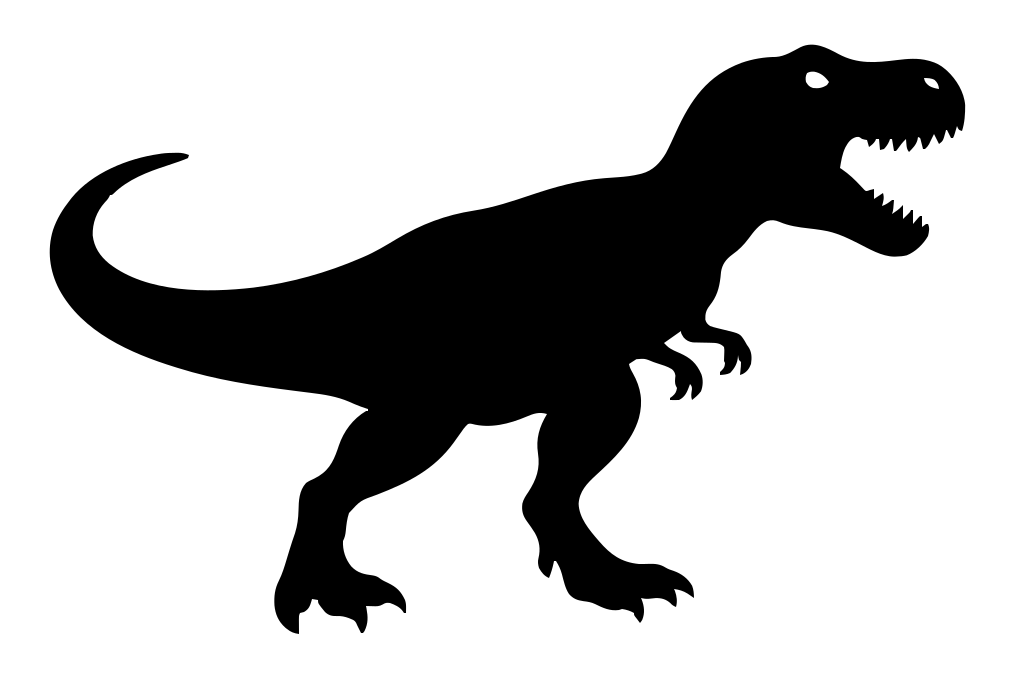
Dinosaur silhouette SVG preview — classic variant on a transparent background, 1024 × 683 view box.
About the Dinosaur silhouette SVG
Choose from three dinosaur designs: Classic offers a familiar prehistoric profile, while Style 2 and Style 3 provide alternate shapes for different layouts. Each download is a solid black silhouette on a transparent background, making it easy to place over colored materials without removing a white box. Use the artwork for Cricut and other cutting machines, especially for adhesive vinyl decals, heat-transfer vinyl on t-shirts, classroom labels, birthday banners, party cups, and nursery signs. The clean silhouette also works well for stencils and paper cutouts.
SVG is the best choice when a project needs resizing because its vector paths stay sharp at sticker size or on a large shirt design. Unlike a PNG, it does not become pixelated when enlarged, and cutting software can read the path as a cut shape. Import the SVG into Cricut Design Space, Silhouette Studio editions that support SVG, Figma, or a vector editor; then scale, mirror for heat-transfer vinyl, or change the fill color before making. If a raster file is required for printing or web use, export the design as a transparent PNG at the exact pixel dimensions you need.
How to use the Dinosaur silhouette SVG
- Step 1
Download the cut file
Save the Dinosaur silhouette SVG to your device — one solid color on a transparent background, ready to cut.
- Step 2
Upload it to your cutting software
Cricut Design Space, Silhouette Studio, and most laser tools import SVG directly, so the Dinosaur silhouette lands as a single clean cut path.
- Step 3
Size it for your material
Scale the Dinosaur silhouette to the blank you are decorating — vinyl decal, t-shirt transfer, cake topper, or wall art — without softening an edge.
- Step 4
Cut, print, or export PNG
Send it straight to the machine, or grab a PNG with the Download PNG button for mockups and print-on-demand listings.
Frequently asked questions about the Dinosaur silhouette SVG
Can I use the dinosaur silhouette SVG for commercial products?
The downloads are free, but free does not automatically mean unrestricted commercial use. Check the license shown with the file before selling t-shirts, decals, signs, or other finished products made with the design.
How do I use the SVG with Cricut Design Space?
Download the SVG, open a new Cricut Design Space canvas, and select Upload to add the file. Resize it for your material, attach or weld paths if needed, and mirror the design before cutting heat-transfer vinyl for a t-shirt.
Can I open the dinosaur SVG in Figma or use it on a website?
Drag the SVG into Figma to resize it, recolor the fill, or include it in a layout. For web use, upload the optimized SVG as an image or embed its markup, provided your intended use follows the file license.
What are the file colors and background details?
Each variant is supplied as a solid black dinosaur silhouette with a transparent background. The vector shape has no white rectangle, so it can be layered over colored vinyl, fabric, paper, or digital backgrounds.
How can I change the color or convert the SVG to PNG?
Open the SVG in Figma, Inkscape, Illustrator, or another vector editor and change the shape’s fill color. To make a PNG, export the artwork at the required width and height while keeping the background transparent.
Turn any picture into a silhouette SVG
Looking for something other than the Dinosaur silhouette SVG? Have your own photo or drawing? Upload it to our free converter and vectorize it in your browser — then cut, print, or scale it to any size.
Convert an image to SVGMore animals silhouette SVGs
Free silhouette SVG downloads from the same category as the Dinosaur silhouette SVG.
Free bunny silhouette SVG for Cricut Projects
Animals
Free Bird Silhouette SVG Downloads for Crafts
Animals
Free Horse Silhouette SVG Files
Animals
Free Deer Silhouette SVG for Cricut & Crafts
Animals
Free Butterfly Silhouette SVG Downloads
Animals
Free dog silhouette SVG for Cricut Projects
Animals
Free cat silhouette svg files for Cricut
Animals